







Can Apple Watch Detect Snoring? Everything You Should Know
Smartwatches have become more than fitness trackers - they now offer insights into your sleep, heart health, and even early signs of serious conditions. With recent updates, the Apple Watch has entered the conversation around sleep apnea and snoring detection. But how reliable is it, and can it really detect snoring?
If you’ve been wondering whether the Apple Watch can detect snoring, you’re likely concerned about sleep quality, or perhaps your partner has mentioned your noisy nights. In this article, we’ll dive into what Apple Watch can and can’t do when it comes to snoring, how the technology works, and what alternatives or complements you might consider.

What Does the Apple Watch Monitor During Sleep?
The Apple Watch, particularly in its latest models like Series 9 and Ultra 2, tracks several key health metrics during sleep to help users better understand their nighttime patterns. These include:
-
Heart rate
-
Breathing rate
-
Body movement
-
Sleep stages (light, deep, and REM)
-
Blood oxygen saturation (SpO2)*
In 2024, Apple introduced FDA-cleared sleep apnea detection, which allows the Apple Watch to identify signs of breathing disturbances that may suggest conditions like snoring or obstructive sleep apnea. Importantly, the watch does not use a microphone to listen for snoring sounds directly.
Instead, the Apple Watch uses its accelerometer to detect subtle wrist movements associated with breathing disturbances. These micro-movements can signal irregular breathing patterns, potentially linked to snoring or sleep apnea. The Apple Watch uses its accelerometer to detect subtle wrist movements associated with breathing disturbances, which may indicate irregular breathing patterns potentially linked to snoring or sleep apnea, but it does not rely on blood oxygen level data for this feature. Rather, it infers possible events based on changes in movement and breathing rhythm, helping users recognize symptoms without audio-based monitoring.
So, Can Apple Watch Detect Snoring?
Technically, the Apple Watch doesn’t “hear” snoring the way a smartphone microphone app might. Instead, it detects symptoms associated with snoring, such as:
-
Decreased oxygen levels
-
Irregular breathing patterns
-
Increased heart rate variability
-
Restlessness or repeated awakenings
These indicators may accompany snoring caused by airway obstruction, which can sometimes indicate sleep apnea, though snoring can also stem from other causes like nasal congestion or anatomical factors. So while the device doesn’t register snoring sounds, it can alert you to breathing disturbances that frequently go hand-in-hand with snoring.
How Accurate Is It?
Accuracy is a top concern for anyone using wearables for health tracking. In terms of detecting sleep-related irregularities:
-
Apple Watch is considered highly accurate for tracking heart rate and movement.
-
Blood oxygen readings, where available, are not used for sleep apnea detection. The sleep apnea feature relies on accelerometer data, with a reported sensitivity of 66% and specificity of 98.5% for detecting moderate to severe cases.
-
Respiratory rate tracking is helpful but lacks full clinical precision.
For full diagnostic accuracy, a home sleep test (HST) or polysomnography in a sleep lab remains the gold standard. However, Apple Watch can serve as a powerful first-alert system for recognizing signs of disrupted sleep that warrant further medical evaluation.
Apple Watch and Sleep Apnea Detection
In September 2024, Apple received FDA clearance for a feature that notifies users of signs of possible sleep apnea. This development marked a major shift in the utility of wearables for sleep monitoring.
This data can be shared with a physician as a basis for formal diagnosis and treatment decisions. If you snore regularly and experience daytime fatigue, headaches, or gasping at night, this feature can help you monitor these patterns passively and act before the condition worsens.
The Role of Snoring in Sleep Disturbances
Snoring may seem harmless, but it can be a major sign of underlying problems:
-
Obstructive sleep apnea (OSA)
-
Chronic nasal congestion
-
Deviated septum or enlarged tonsils
-
Lifestyle factors like alcohol use or poor sleep posture
Loud or frequent snoring can lead to fragmented sleep, poor oxygenation, and serious health consequences if untreated. Monitoring your sleep data with a wearable like Apple Watch is a helpful step, but managing snoring requires a comprehensive approach.
Tips to Complement Apple Watch Sleep Tracking
If your watch indicates signs of sleep disturbance or if your partner tells you that you snore, consider these steps:
-
Change your sleep position: Side sleeping often reduces snoring.
-
Treat nasal congestion: Try saline sprays, antihistamines, or nasal strips.
-
Avoid alcohol and sedatives before bed: They relax throat muscles and worsen snoring.
-
Maintain a consistent sleep schedule: Going to bed and waking up at the same time supports better sleep quality.
-
Lose excess weight if needed: Extra tissue around the neck can block airflow.
Combining these actions with sleep data from Apple Watch can help you build a clearer picture of what’s happening overnight
Enhancing Your Sleep Experience with Smart Sound Support
While the Apple Watch can alert you to potential breathing disturbances, managing the effects of snoring in real-time often requires a more direct solution. This is especially true if snoring disrupts your partner’s sleep or your own, even before medical treatment or lifestyle changes take effect.
One practical approach to dealing with nightly noise is to mask it with calming, science-backed audio. This can include white noise, nature sounds, or even sleep meditations. To make this work effectively, comfort and audio quality matter – especially if you’re a side sleeper or tend to move around at night.
Ozlo Sleepbuds®
An amazingly restful and peaceful sleep every night, free from distractions and noise, is the greatest gift you can give!

What are Ozlo Sleepbuds?
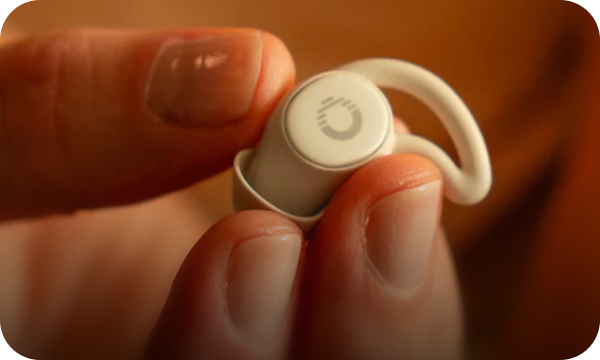
Ozlo is a science-driven, one-stop-shop for the best sleep of your life. Unlike other headphones and earbuds, our tiny Sleepbuds® are engineered to be super comfy, even for side sleepers, while blocking out sleep-disrupting sounds.
Sleepbuds® play audio for up to ten hours, letting you enjoy our noise-masking tracks or stream anything you like, including audiobooks, podcasts, white noise, and YouTube.

The Ozlo Difference
At Ozlo, we're dedicated to helping you achieve the best sleep possible through innovative audio solutions. Our company, founded by three former Bose engineers, focuses on creating products that not only help you fall asleep, but stay asleep throughout the night.
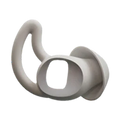
Ozlo Sleepbuds® simply don’t feel like other earbuds. Sleepbuds stay in place even when you toss and turn. The tiny earbuds, with their comfortable silicone tips and anchor-in-place wings, are designed for all-night comfort, no matter your sleeping position. Sleep on your back, side, or whatever works for you, and Ozlo Sleepbuds® will remain in place throughout the night.

Key Highlights
- Founded by three former Bose engineers with extensive experience in audio tech
- Sleepbuds® actively mask unwanted sounds like snoring, traffic, and environmental noises with calming, science-backed audio.
- Ultra-soft silicone tips designed to support every sleeping position, ensuring a secure and comfortable fit.
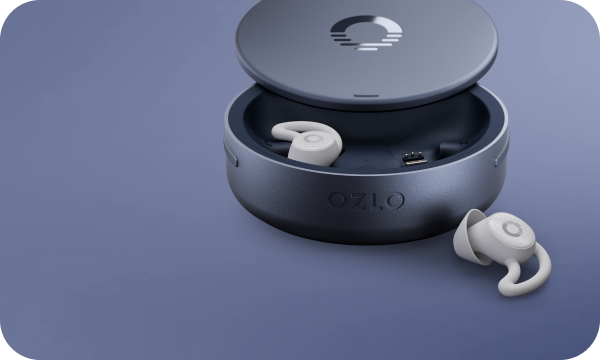
- Up to 10 hours of continuous use with extra charges from the Smart Case.
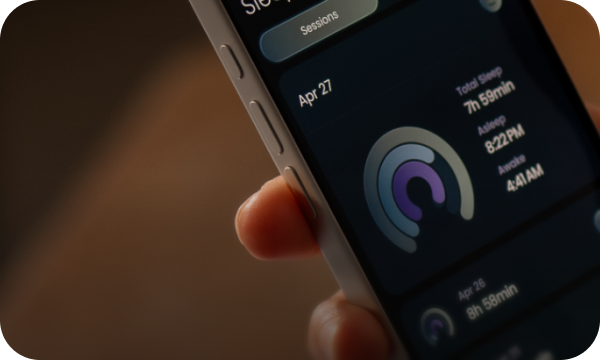
- Built-in biometric and environmental sensors offering personalized sleep reports
- Personal alarm gently wakes you without disturbing your partner
Conclusion
So, can the Apple Watch detect snoring? Not in the traditional sense of capturing sound, but it can identify the physiological disturbances commonly associated with snoring, such as irregular breathing, oxygen drops, and fragmented sleep. With its newly approved sleep apnea detection features, it offers a valuable early warning system that helps users recognize potential sleep issues before they become serious.
Still, while the Apple Watch is a powerful tool for tracking sleep health, it does not replace formal diagnosis or treatment. If you notice recurring alerts or symptoms like fatigue, loud snoring, or nighttime gasping, it’s important to consult a healthcare provider.
Ultimately, understanding your sleep patterns is the first step toward improving them. Whether you’re using a wearable to gather data or making lifestyle changes to reduce snoring, prioritizing your sleep health can lead to better rest, improved focus, and long-term well-being.
FAQs
Can Apple Watch directly detect snoring sounds?
No, the Apple Watch does not use a microphone to record or detect snoring sounds. Instead, it monitors physiological indicators like breathing rate, heart rate, and blood oxygen levels to detect disturbances that may be associated with snoring.
What signs of snoring does the Apple Watch detect?
The Apple Watch detects signs such as irregular breathing, low blood oxygen levels, and increased heart rate during sleep. These may indicate breathing disruptions caused by snoring or sleep apnea.
Is the Apple Watch FDA-approved for sleep apnea detection?
Yes, as of late 2024, Apple received FDA clearance for its sleep apnea detection feature. However, this feature is intended for early awareness and not for diagnosis. A medical sleep test is still required for a formal diagnosis.
How reliable is Apple Watch for sleep monitoring?
Apple Watch is generally accurate for tracking heart rate and motion during sleep. It provides useful trend data, but it’s not a substitute for medical-grade equipment used in professional sleep studies.
Do I need a specific model of Apple Watch to use sleep apnea features?
Yes. Sleep apnea detection is currently available on newer models such as the Apple Watch Series 9, Ultra 2, and later, running the latest version of watchOS. Older models do not support this feature.
What should I do if my Apple Watch shows signs of breathing disturbances?
If your Apple Watch indicates potential sleep disturbances, it's a good idea to consult with a healthcare provider. They may recommend a home sleep test or an overnight study to confirm whether you have a condition like sleep apnea.


