
Introducing Sleep Patterns from Ozlo: Better Sleep, Backed by Insight

Presentamos los patrones de sueño de Ozlo: un mejor sueño, respaldado por información valiosa

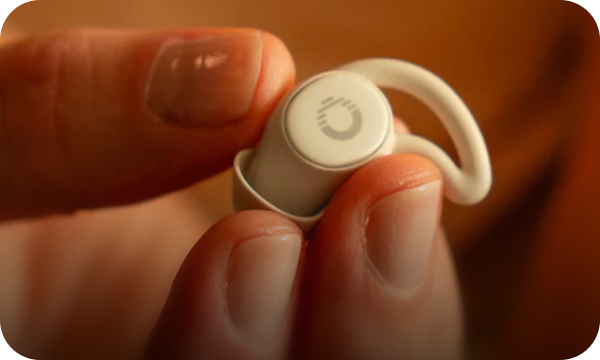
En Ozlo, siempre hemos creído que un mejor sueño empieza con un mejor diseño. Los Ozlo Sleepbuds® se diseñaron para lograr una función excepcional: ayudarte a conciliar el sueño más rápido, a dormir más tiempo y a despertarte renovado.

Ahora, se están volviendo aún más inteligentes.

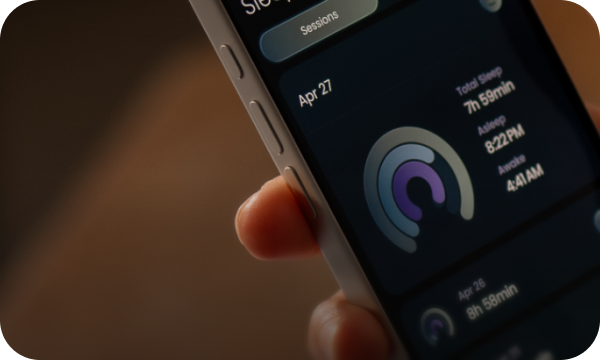
Nos complace presentar Patrones de Sueño , nuestra nueva función más potente hasta la fecha: convierte tus Sleepbuds en un verdadero compañero de sueño. Con Patrones de Sueño, verás exactamente cómo dormiste cada noche, seguirás tu progreso hacia tus Objetivos de Sueño personalizados y comprenderás cómo tu entorno influye en tu descanso.

Esto es el sueño redefinido.

Por qué son importantes los patrones de sueño

La mayoría de los rastreadores de sueño se limitan a los datos: muestran cuándo te acostaste y cuándo te despertaste. Ozlo va más allá.

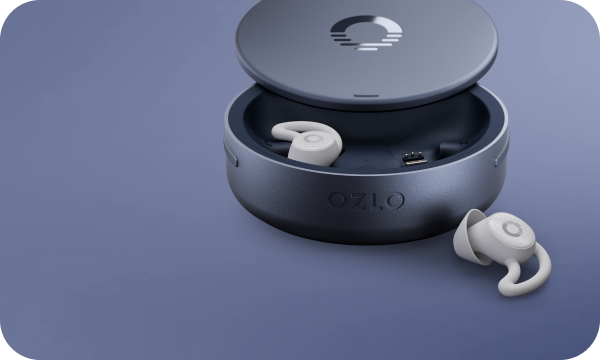
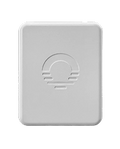
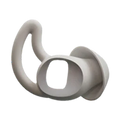
Patrones de Sueño es diferente porque está integrado en un sistema que no solo monitorea tu sueño, sino que también lo protege activamente . Usando tus Sleepbuds y el nuevo Estuche de carga inteligente (ahora actualizado con sensores ambientales), Patrones de sueño te ayuda a:

  • Vea cuánto tiempo y qué tan bien durmió.

  • Identifique patrones en sus últimas 14 noches.

  • Comprenda qué está interrumpiendo su descanso (como el ruido, la luz o los cambios de temperatura).

  • Reconozca cómo Ozlo Sleepbuds intervino para bloquear las perturbaciones y proteger su sueño.

En resumen: Sleep Patterns conecta los puntos entre lo que sucedió durante la noche
y cómo te sientes por la mañana.


Una visita guiada a los patrones de sueño

Al sincronizar tus datos de sueño por la mañana, la app de Ozlo transforma tu noche en una historia visual y clara. Aquí te explicamos cómo leer cada sección:

1. Objetivos de sueño

Cada noche se puntúa con tres objetivos personalizados:

  • Duración : el tiempo que realmente dormiste, en comparación con el objetivo que estableciste.

  • Coherencia : Qué tan fielmente te mantuviste fiel a tu hora de acostarte y de despertarte.

  • Eficiencia : ¿Cuánto tiempo de su tiempo en la cama pasó durmiendo de manera reparadora y significativa?

Cada objetivo se califica de Bajo a Excelente , para que puedas ver de un vistazo dónde estás prosperando y dónde podrías adaptarte.


2. Cronograma del sueño

Una vista detallada de tu noche. Verás:

  • Cuando te quedaste dormido y cuando te despertaste.

  • Periodos de sueño ligero, profundo y REM.

  • Perturbaciones causadas por ruido, luz o cambios de temperatura y cómo respondieron sus Sleepbuds para enmascararlas.

Esta línea de tiempo muestra cómo tu entorno moldea tu sueño y por qué la tecnología de sonido adaptativo de Ozlo hace una diferencia tan grande.

3. Estuche de carga inteligente: Perspectivas ambientales

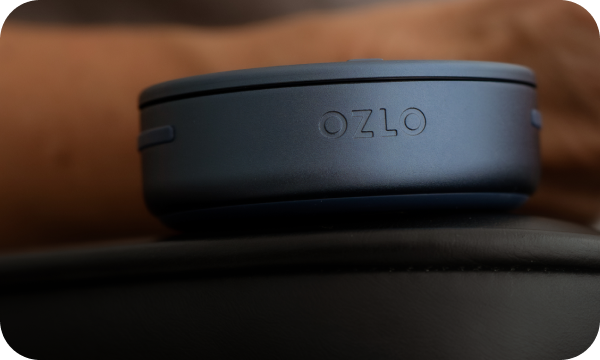
Tu estuche Sleepbuds ahora es un sensor ambiental inteligente Estuche de carga inteligente , equipado con sensores avanzados para medir:

  • Molestias sonoras (ronquidos, tráfico, vecinos ruidosos)

  • Cambios de luz (lámparas, farolas, amanecer)

  • Fluctuaciones de temperatura (demasiado calor, demasiado frío)

  • Cambios en la presión barométrica (cambios ambientales que pueden afectar la calidad del sueño cuando se viaja)

Estos conocimientos revelan las fuerzas ocultas que afectan su descanso y cómo Ozlo ayuda a defenderse de ellas.

4. Tendencias de 30 noches

Patrones de Sueño siempre muestra tus datos de las últimas 30 noches. ¿Por qué? Porque de dos semanas a un mes es el período de referencia que los especialistas en sueño, incluida nuestra asesora, la Dra. Meredith Broderick, utilizan para identificar patrones de sueño significativos.

Esta ventana móvil te ayuda a ver el progreso sin agobiarte, ya sea que estés mejorando la constancia, durmiendo más tiempo o despertándote más renovado.

5. Siestas

Patrones de Sueño no se limita solo al sueño nocturno. También puedes registrar tus siestas, lo que te ayuda a descubrir la duración ideal para sentirte con energía y sin aturdimiento.

6. Sincronización diaria del sueño

A diferencia de los rastreadores pasivos que recopilan datos en segundo plano, Ozlo convierte la sincronización en un ritual. Cada mañana, sincronizas intencionalmente tus datos de sueño y evalúas cómo te sientes y cómo dormiste. En tan solo unos minutos, descubrirás tu historial de sueño completo.

Esta pausa intencional convierte la reflexión sobre el sueño en un hábito diario, haciendo que el progreso sea parte de tu rutina matutina.


Empezando

  1. Actualiza tu aplicación Ozlo.

  2. Utilice sus Sleepbuds durante la noche o cuando tome una siesta.

  3. Por la mañana, sincroniza tus Sleepbuds para desbloquear tu panel de Patrones de sueño.

Desde tu primera noche, verás tu sueño de una manera completamente nueva.

El futuro de un mejor sueño

Patrones de Sueño es más que una nueva función. Es la base para el futuro. Al ayudarte a visualizar y comprender tu sueño, sentamos las bases para futuras innovaciones.

Por ahora, es la forma más sencilla e inteligente de despertarse con claridad y dormir con confianza.

Presentamos los Patrones de Sueño de Ozlo. Dormir mejor requiere una mejor comprensión .

FAQ

1. What are Ozlo Sleep Patterns?

Ozlo Sleep Patterns are your personalized window into how you sleep. Each night, your Sleepbuds® measure your sleep length, quality, and consistency, evaluating your sleep, to provide you with daily Sleep Goals, and measuring your sleep against these goals to give you daily Sleep Goal results. Specifically, we assess the following values:

  • Duration – how long you slept while wearing your Sleepbuds®

  • Consistency – how closely you matched your ideal bedtime and wake time

Efficiency – how much of your time in bed was actually spent sleeping

2. What is the Ozlo Smart Charging Case?

Ozlo Sleep Patterns unlocks new features in your Smart Charging Case, turning it into a smart sleep companion that tracks your environment while you rest. With built-in sound, light, temperature, and pressure sensors, the Smart Charging Case detects changes in your surroundings to help you understand what’s affecting your sleep and powers your Sleep Patterns insights.

3.  Can I go back to the old firmware version?

No. However, If you’d prefer not to view your Sleep Patterns data, you can simply toggle Sleep Patterns “off” in your app settings.

4. How do I get started?

Getting started takes just a few steps:

  1. Update the Ozlo App.
  2. Update your Sleepbuds firmware through the app.
  3. Complete Sleep Onboarding and enable Sleep Patterns.
  4. Sleep with your Sleepbuds in your ears and your Smart Charging Case nearby.
  5. Each morning, open the Ozlo app to sync your data for the most accurate results.

5. What are Sleep Goals?

Sleep Goals help you see how closely your actual sleep aligns with your ideal routine. Each day, you’ll receive a rating (Great, Good, OK, Fair, or Low) based on:

  • Duration: how long you slept
  • Consistency: how closely your bedtime and wake time matched your goals

Efficiency: how effectively your time in bed became actual sleep

6. What kind of disturbances does the Smart Charging Case track?

The Smart Charging Case tracks environmental factors that can disrupt rest, including:

  • Sound: snoring, traffic, or outside noise
  • Light: bedroom lights or sunrise exposure
  • Temperature: room getting too warm or cool overnight
  • Barometric pressure: Night to night shifts that may affect sleep quality. Small shifts from a storm or wind will not be notable.

7. How do I sync my sleep data?

Syncing takes about 1–2 minutes per night of stored data. Your Sleepbuds® can hold up to five nights of sleep data. For best results:

  1. After waking, place your Sleepbuds in the case.
  2. In the app, go to the Sleepbuds or Sleep tab and tap “Sync Now.”
  3. Leave the buds in the case during transfer.
  4. Within a few minutes, your sleep insights will appear in the Sleep tab.

Sync daily for the most accurate, up-to-date results.

8. How can I share feedback?

We’d love to hear from you. You can submit feedback directly in the app, whether you’ve found a bug, want to share ideas, or notice something that doesn’t feel quite right. Every insight helps us improve your experience

9. Can I track naps with Sleep Staging?

Yes. Ozlo Sleep Patterns now track nap quality too—so you can see how daytime rest supports your recovery without interrupting your nighttime sleep.

10. Will these new features affect battery life?

A little. Sleep Patterns uses more power, resulting in up to a 10% decrease in battery life when tracking is enabled and volume is at 100%.

11. Can I turn off sensors?

Yes. You can individually disable the microphone, light, and temperature sensors anytime in your Sleep Settings while the Ozlo Sleepbuds are connected to the app

12. Does the microphone record me?

No. The microphone measures sound amplitude only. It records the average and maximum volume of your surroundings but never captures speech or content.

13. Where is my data stored?

Your Sleepbuds store your nightly sleep data, while your Smart Charging Case records environmental data. Once synced, all raw data is securely stored in the Ozlo Cloud, processed for insights, and later anonymized to protect your privacy.

14. How do I delete my data?

You can delete your data by deleting your Ozlo account:

1. Open your Ozlo Sleep App

2. Go to account screen

3. Tap on “Profile”

4. Tap “Delete Account”

5. Confirm deletion by tapping “Permanently Delete”

This will delete your account and all associated sleep data. You can still use your Ozlo Sleepbuds by creating a new account or using your Sleepbuds without an Ozlo account. Note: Deletion will take 30 days for backup data to be totally deleted.

15. Why does my Ozlo sleep data look different from my Oura Ring or Apple Watch?

Each device measures sleep in its own way, using different sensors, placements, and algorithms. Rings and watches rely on motion, heart rate, or temperature, while Ozlo Sleepbuds focus on motion, respiration rate and your sleep environment. Differences don’t mean one is wrong, just that each sees your sleep through a different lens.

In addition, if one of your buds ran out of battery, fell out during the night, or your Smart Charging Case lost power, that can also lead to missing or inaccurate data.