Software
Release Notes

android app

Android 2.65

We’ve made it easier to discover, manage, and preview sounds.

- Choose up to 9 Sleep and 2 Alarm Sounds to replace and transfer to your Sleepbuds, all at once.


- An immersive, full-screen way to explore our entire sound library. Simply swipe up and down to discover and preview the perfect sound for you.


- Review exactly which sounds are stored on your Sleepbuds, now in their own section on the Sounds tab.


- Alarm previews now accurately reflect how loud your alarm will play in the morning.


Android 2.62

What’s New
Welcome to our biggest update yet!


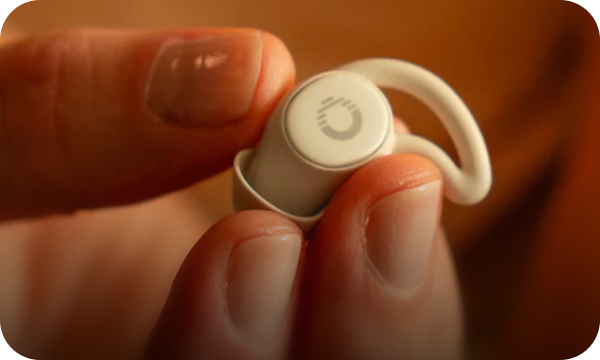
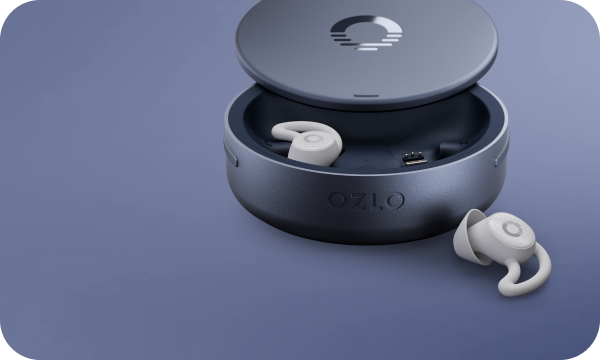
Introducing Sleepbuds 2

Our most advanced Sleepbuds yet. Purchase Sleepbuds 2 to experience:
• Up to 14 hours of battery life
• Refined sound and enhanced audio tuning
• Sleep Shield to help prevent your phone’s audio from interrupting your sleep.
• New bedside controls with the Smart Case button


Completely Redesigned App
We’ve refreshed the app with calming new colors, updated branding, and a simpler interface that’s easier to navigate.


New Sleep Modes
Customize how your Sleep Sound works throughout the night with flexible new Sleep Modes designed around your bedtime routine.


More Sounds
Enjoy 4 new alarm sounds, over 60 Sleep Sounds, and our new Nocturnes collection. These gentle musical pieces create a calm, reflective atmosphere with soft, flowing melodies that help quiet the mind and ease you into restful sleep.


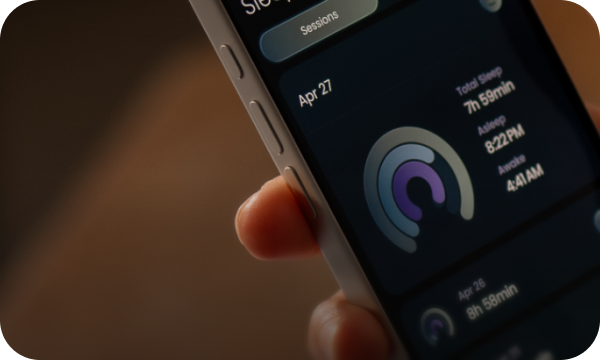
Sleep Patterns Is Here
Sleep Patterns is officially out of beta! Thank you to everyone who helped test the feature and shared feedback. Your input helped shape this release, and we’re already working on even more improvements coming in the months ahead.


Thank you for being part of the Ozlo community. Sleep well.

Android 1.55.1

We’re excited to introduce Sleep Patterns (Beta), our most powerful feature yet. It turns your Sleepbuds and Smart Case into a true sleep companion, showing not just when you slept, but how and why you feel the way you do.
  • Track sleep against personalized goals
  • See how long and well you slept
  • Understand disruptions like noise, light, and temperature
  • Review your last 30 days to find what works best.
  • Update your Sleepbuds to get started.

Android 1.55.0

UI Improvements and bug fixes to smooth out your experience with the Ozlo Sleepbuds®. To make sure that you don't miss a thing, just keep your Updates turned on.


Android 1.51

UI Improvements and bug fixes to smooth out your experience with the Ozlo Sleepbuds®. To make sure that you don't miss a thing, just keep your Updates turned on.


Android 1.46.0

UI Improvements and bug fixes to smooth out your experience with the Ozlo Sleepbuds®. To make sure that you don't miss a thing, just keep your Updates turned on.


Android 1.30

  • We're excited to unveil a new Sleep Sound experience—Soundscapes! These calming sounds immerse you in relaxing environments, making it easier to fall and stay asleep all night long.
  • You can now browse all our Ozlo products and accessories within the Account tab. (US Only)


Plus bug fixes that help smooth out your experience with the Sleepbuds. To make sure that you don’t miss a thing, just keep your updates turned on.

Android 1.28

This month we have added 2 NEW Sleep Sounds. (Air Waves & Gentle Ocean). We are also including a new Alarm Sound that will be sure to wake you up called "Wake Up!"

Plus, bug fixes that help smooth out your experience with the Sleepbuds. To make sure that you don’t miss a thing, just keep your updates turned on.

Android 1.26.0

NEW "Sounds" tab

• View the Sleep Sounds and Alarm Sounds that are currently stored on your Sleepbuds.

• Browse 10 new Sleep Sounds (including "Warm Glow") and 3 new Alarm Sounds.

• Tap the add button to transfer a new sound to your Sleepbuds.


Plus additional bug fixes that help smooth out your experience with the Sleepbuds. To make sure that you don’t miss a thing, just keep your updates turned on.


Android 1.15.0

  • Volume control is now more fluid and adjusts in real time.It's also larger, easier to use, and shows the percent of volume you have it set to.
  • Added support for "When I Fall Asleep" feature. (Feature will be included in next firmware update!!)
  • New and improved User Guide.
  • New "Connect Sleepbuds" section in the Need Help overlay.

Plus additional bug fixes that help smooth out your experience with the Sleepbuds. To make sure that you don’t miss a thing, just keep your Updates turned on.


Android 1.12.0

  • We will now notify you that your Sleepbuds have a Firmware Update during the day so you don't have to do it right before bedtime. Be sure to enable Push Notifications in Android Settings.
  • When creating a new Alarm, we no longer select all days by default for simpler setup.
  • Added images for each of the alarm sounds.
  • Access to firmware release notes from the accounts tab.

Android 1.11.0

UI improvements and bug fixes to smooth out your experience with your Ozlo Sleepbuds®. To make sure you don't miss a thing, just keep your Updates turned on.